Court Finder (6ixCourts)
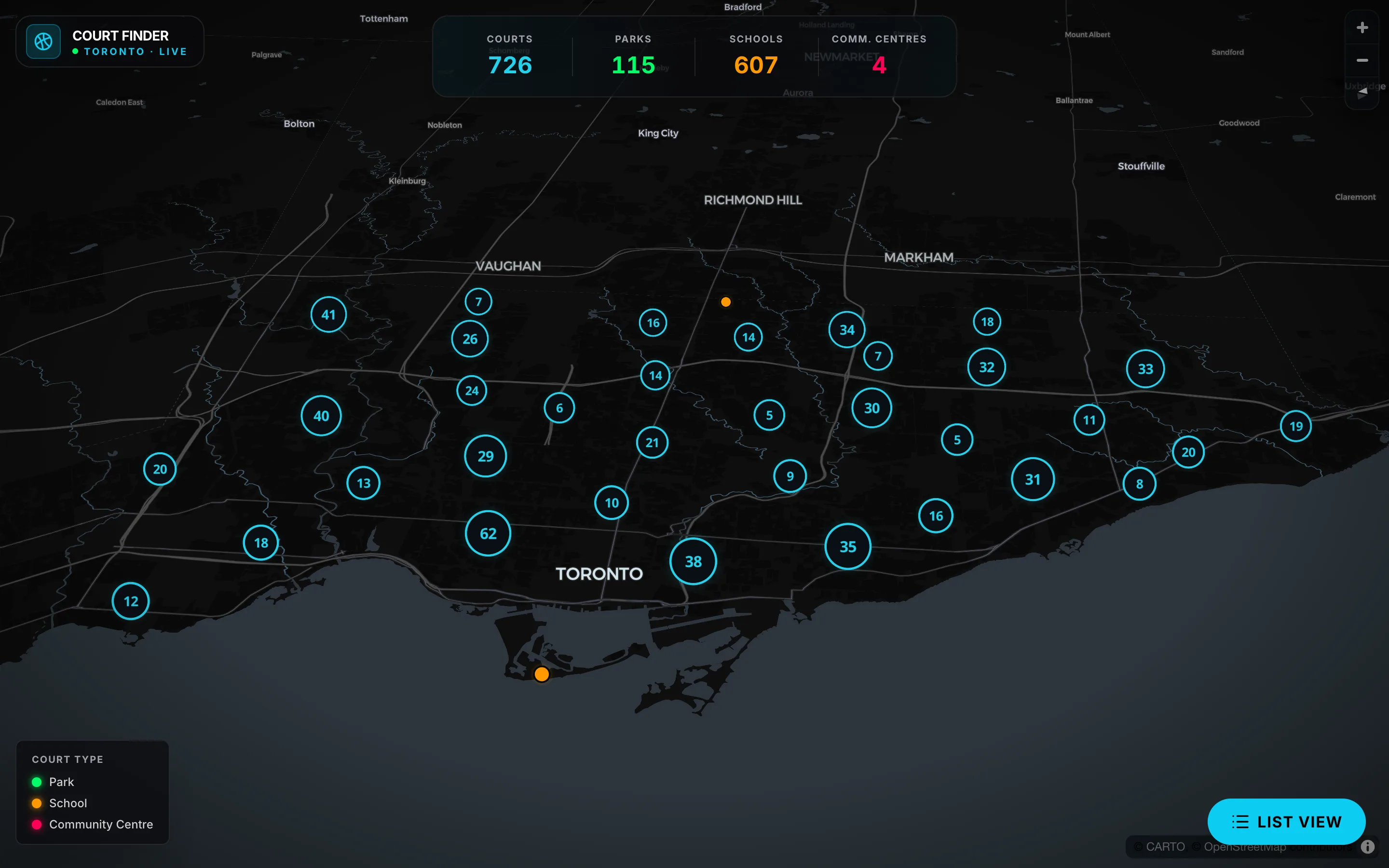
726 Toronto basketball courts on one dark clustered map.
- Role
- Designer & developer
- When
- Jun 2026 – Aug 2026
In short
- 01
Live at 6ixcourts.com with 726 Toronto courts across parks, schools and community centres
- 02
Dark clustered map with a summary HUD, court-type legend and per-court detail panel
- 03
List view with search, court-type and district filters; 1:1 SwiftUI/MapKit iOS port
Built with React · TypeScript · JavaScript · MapLibre GL · CARTO · OpenStreetMap · SwiftUI · MapKit
Problem
Toronto has many basketball courts and recreational facilities, but the information about them is spread across different websites and maps. I wanted to make it easier to find places to play: search for a location, browse nearby courts and see useful details without opening several sites. 6ixCourts brings that search into one place.
Approach
The experience is built around search and location discovery: a user searches, the app filters the results and shows matching locations, and the map gives a second, geographic way to explore them. The layout is responsive for desktop and mobile.
The dataset covers 726 courts across parks, schools and community centres (115 parks, 607 schools, 4 community centres), each with a name, address, district, coordinates and a court type. School courts are estimated from school grounds rather than verified by the City; the list page says so in its header, and each school court's detail panel adds that it may not be publicly accessible or verified.
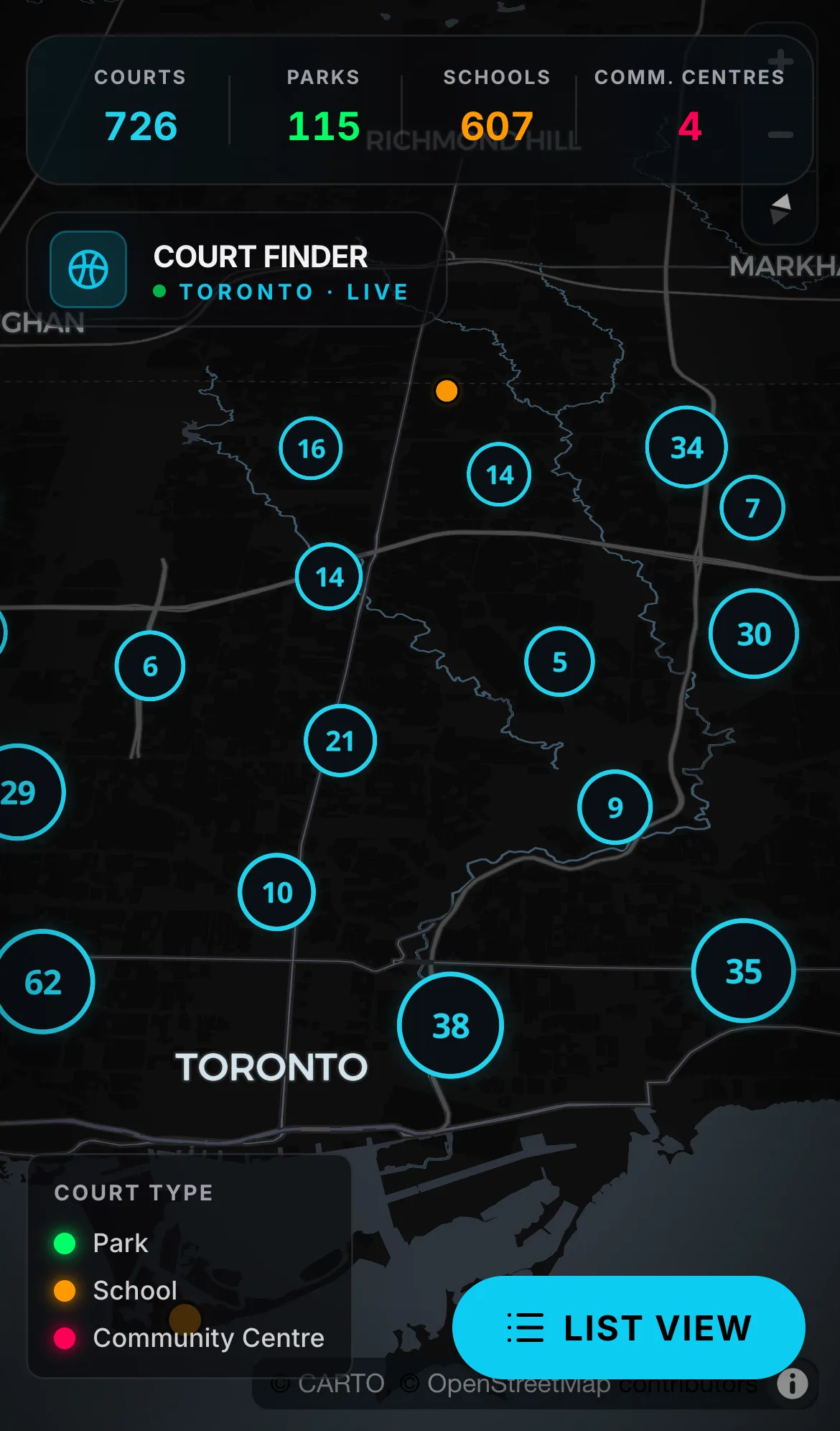
I later ported the web app 1:1 to a native SwiftUI iOS app with the same bundled court data and the same screens (the port lives in a private local repository and has not been released): intro splash, dark 3D map with clustered neon markers, summary HUD, court detail sheet and filtered list view.
Architecture
web (React + TypeScript) → 6ixcourts.com
   data     GET /api/courts          726 courts: id, name, address, neighborhood, lat, lng, courtType
            GET /api/courts/summary  totals by court type
   /        map: MapLibre GL on CARTO's Dark Matter basemap, clustered markers, HUD, legend, detail panel
   /courts  list: search, court-type chips, district chips, one card per court

iOS port (SwiftUI + MapKit, iOS 17) — the same 726 courts bundled as toronto-courts.json
   CourtStore.load(): bundle JSON → decode → drop unknown types → sort by name → summary counts
   RootView: HomeView (IntroSplashView → CourtMapView + SummaryHUD + MapOverlayView
             + CourtPanelView) ⇄ CourtsListView (search, type and district chips)
On the web, the app requests its courts and totals from the site's own /api/courts and /api/courts/summary endpoints. The map view draws clustered markers with MapLibre GL on CARTO's Dark Matter basemap, credited on the map to MapLibre, CARTO and OpenStreetMap contributors, with a HUD of totals (726 courts, 115 parks, 607 schools, 4 community centres) and a court-type legend. The /courts list view adds search by name, address or district, court-type and district chips and a card per court.
In the iOS port, CourtStore loads toronto-courts.json from the app bundle, drops any entry whose type is not park, school or community, sorts by name and computes the summary counts. HomeView holds the intro splash until the data is loaded and 2.4 seconds have passed, then shows CourtMapView, a UIViewRepresentable around MKMapView in dark mode with the iOS 17 realistic elevation style. Markers use MapKit's native clustering with custom CALayer glow markers coloured by type; tapping a cluster zooms to its members, and tapping a marker opens CourtPanelView, a bottom panel on narrow screens and a 384-point side panel when the view is at least 700 points wide (iPad). The camera flies in over five seconds to a 55° pitch, then rotates slowly on a CADisplayLink until the user touches the map.
Technical decisions
- Label school courts as estimated → they are inferred from school grounds and not verified by the City, so the list page header says so and each school court's detail panel repeats it.
- Keep the MapKit and UIKit map code behind an
#if os(iOS)compile path with a placeholder view elsewhere → UIKit map types never reach a non-iOS build.
Challenges
- 607 of the 726 courts are estimated from school grounds rather than verified by the City, so the app labels them as estimates and warns that a school court may not be publicly accessible.
- 726 markers would bury the map at city zoom, so courts are clustered on both the web map and the iOS port, where tapping a cluster zooms in to its courts.
- MapKit's UIKit map types only exist on iOS, so the port keeps that map code behind an iOS-only compile path with a placeholder view elsewhere.
Results
The web app is live at 6ixcourts.com as "Toronto Court Finder": the map view shows 726 clustered courts with the summary HUD, and the /courts list view covers "726 courts citywide" with search, court-type and district filters. The iOS port is about 1,300 lines of Swift, targets iOS 17 on iPhone and iPad and runs from CourtFinder.xcodeproj.
Kavin AI — an AI version of Kavin
Ask about Court Finder.
Kavin AI, the AI version of me, answers from the same approved write-up you just read.